Introducing the New Majestic App
In short:
We’re excited to launch the brand-new Majestic app, your new personal wine hub designed to make each purchase smoother, faster, and more rewarding.
Whether you have a Majestic account on our website or are joining us for the first time, our new app and loyalty programme puts the best of Majestic right in your pocket. Earn points with each shop and collect them to earn rewards – we’re even giving you 50 free points when you download the app!
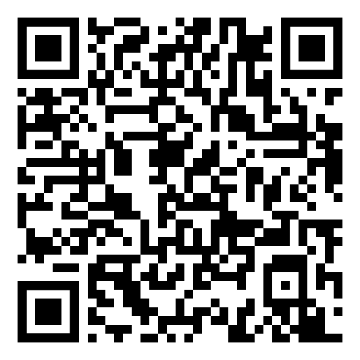
Scan to Download on the Apple Store.
Scan to Download on Google Play.
Download our New App
Getting started takes just a few seconds. Follow these quick steps to set up your account and claim your bonus points:
- Download the App: Find the app on the Apple App Store or Google Play Store.
- Sign in & Claim your 50 Points: Log into your existing Majestic account or sign up in under a minute. Your 50 bonus points will be automatically loaded into your account, getting you halfway to your first reward threshold!
- Start Shopping: Tap "Add to Apple Wallet / Google Pay", so every time you visit our stores, your digital loyalty card is ready for scanning at the till.
How to Get the Most from the Majestic App
Enjoy a better way to shop with Majestic:
- Earn and redeem rewards: Earn loyalty points on all your purchases and exchange them for rewards, like a free bottle of Nyetimber, La Rioja Alta’s Viña Ardanza, Cloudy Bay, and more. Plus, get 50 free points just for downloading and signing in on the app – that’s the equivalent to a £50 spend!
- Explore our award-winning range: Browse our expertly selected range of wines, spirits, and beers and browse our latest offers.
- Shop Local and check your favourites are in stock: Check real-time stock at your nearest Majestic store before visiting, and get instant notifications the moment your Click & Collect order is ready.
- Personalised tasting notes & ratings: Rate your favourite bottles and write your own tasting notes, so you never forget what you like.
- Create wishlists: Easily build wishlists of your favourite bottles to reference whenever you shop with us or discuss recommendations with friends.
- Digital loyalty card: Keep your unique loyalty card in your phone's digital wallet for fast, effortless scanning in store.
- Order history & receipts: Access past receipts across all your orders, so you can reorder your favourites in seconds.
FAQs:
How do I log into the app?
If you have an existing Majestic online account with us you’ll be able to sign in with the same credentials. If you’ve shopped before but only in store, go through the ‘forgot password’ journey.
How do I use my loyalty card in store?
All you have to do is present your ‘loyalty card’ in store and they will be able to pull up your Majestic account details. You can save the loyalty card in your phone's digital wallet. Simply show the card to the store team and they can scan it. The store will then be able to place new orders against your account and check your loyalty points.
How does the loyalty scheme work?
£1 spent = 1 point gained. Sometimes we’ll offer extra points on specific products or for a period of time. Points accrued can be exchanged for a voucher to apply against a future purchase. When a threshold is passed, the voucher is enabled; you can then choose to generate it and redeem, or you can continue to accrue points and work towards the next milestone.
Where can I see my points?
Your points will appear in the 'loyalty' section of the app and in 'my account' under 'loyalty' on majestic.co.uk. You’ll also be able to see a breakdown of points you’ve received against previous orders in the app.
How do I redeem my loyalty reward?
When you’ve reached the number of loyalty points required for a reward, you will be offered the opportunity to ‘generate voucher’ in order to claim your reward. If you choose to ‘generate voucher’, it will be added to your ‘voucher’ section on your app. Alternatively, you could choose to save your points for the next reward tier. Vouchers can be applied when transacting in the app, on the website or in store – redeem however you choose.